 mail
mailmailniño 1.3.3
small, but seriously capable
A mail client for Windows and Linux that starts fast, can search inside your messages too, and loads your contacts by itself. It is free and has no annoying ads. Bring all your mailboxes together in one place.
Or: Download MSI · AppImage for Linux
Windows 10 / 11 · 64-bit · ≈ 29 MB · Linux 64-bit (.deb for Ubuntu, Debian, Mint) · ≈ 56 MB · free
Windows SmartScreen on first run, what to do 🤓
On first run Windows SmartScreen may show a box saying “Windows protected your PC”. That is normal for a freshly released program — the installer is signed, and the warning goes away on its own as downloads add up.
- Click More info.
- A line Publisher: Michal Foist appears — that is how you know the file is ours.
- Click Run anyway.
Want to be certain yourself? Compare the file hash — it is just below on this page.
Installing on Linux 🐧
Install the .deb package (Ubuntu, Debian, Mint) from a terminal, in the folder with the downloaded file:
sudo apt install ./mailnino_1.3.3_amd64.deb
Text-from-scan reading (Tesseract) is installed alongside it.
The AppImage runs on other distributions: make it executable
(chmod +x mailnino_1.3.3_amd64.AppImage) and run it. On Ubuntu it needs
the libfuse2t64 package.
mailniño stores account passwords in the system keyring (GNOME Keyring or KWallet) — it is ready to go on a plain Ubuntu install.

Check that you are downloading the real thing
You do not have to take my word for it. Work out the file hash and compare it — if it matches, it is exactly the file I released.
60c5a96faf4174e9286c39739852ff63ae2d9f9a0f0d097a58b62c68f03af47a
In the command line:
certutil -hashfile mailnino_1.3.3_x64-setup.exe SHA256
mailnino_1.3.3_x64.msi — SHA-256:
481bf34f8e19e40428a503dbdef2aa79bb68bbcf4ce1d6d44cc4fcad0fe4ce10
certutil -hashfile mailnino_1.3.3_x64.msi SHA256
mailnino_1.3.3_amd64.deb — SHA-256:
d7e1f363f7351c27655026f2315ea8d9f7f5ad1ac95145d1209e1c5c31a493f5
mailnino_1.3.3_amd64.AppImage — SHA-256:
3ad90822898f00e384d049e74a7c07909802119caf9765fb58b4d0ca47635fa0
On Linux, in the terminal:
sha256sum mailnino_1.3.3_amd64.deb
The installer is digitally signed — Windows shows the publisher (Michal Foist) instead of „unknown publisher". The signature carries a timestamp, so it stays valid even after the certificate expires. With a brand new release SmartScreen may still speak up; More info → Run anyway.
What mailniño does
None of this needs an account with us, a sign-in, or a connection to any service of ours. The app talks straight to your mail server.
Seznam.cz, Gmail and Microsoft
Connect mail from any provider that offers IMAP. With Microsoft (Outlook.com, Live, work and school accounts) you sign in directly with Microsoft — no password is entered.
Search that doesn't keep you waiting
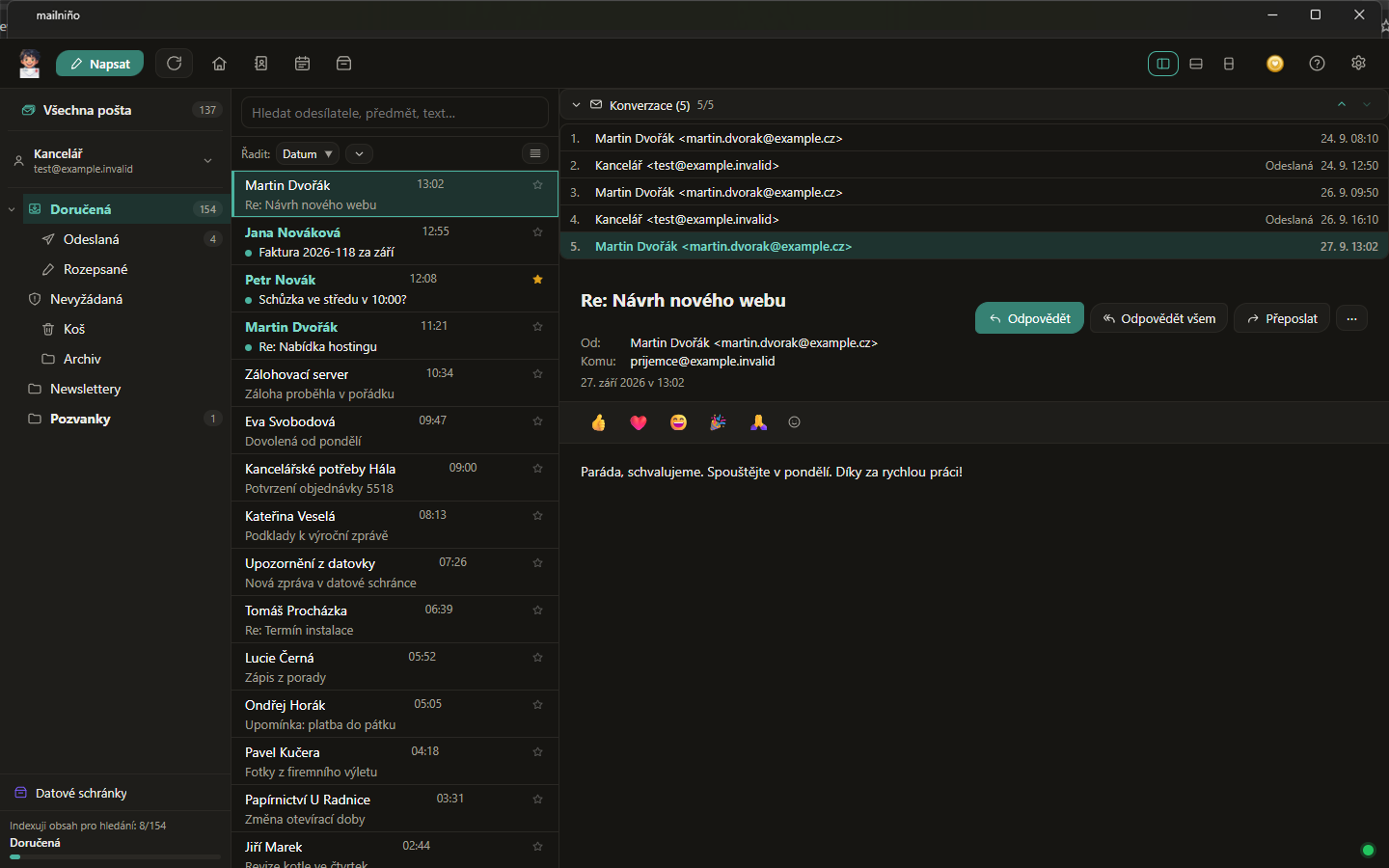
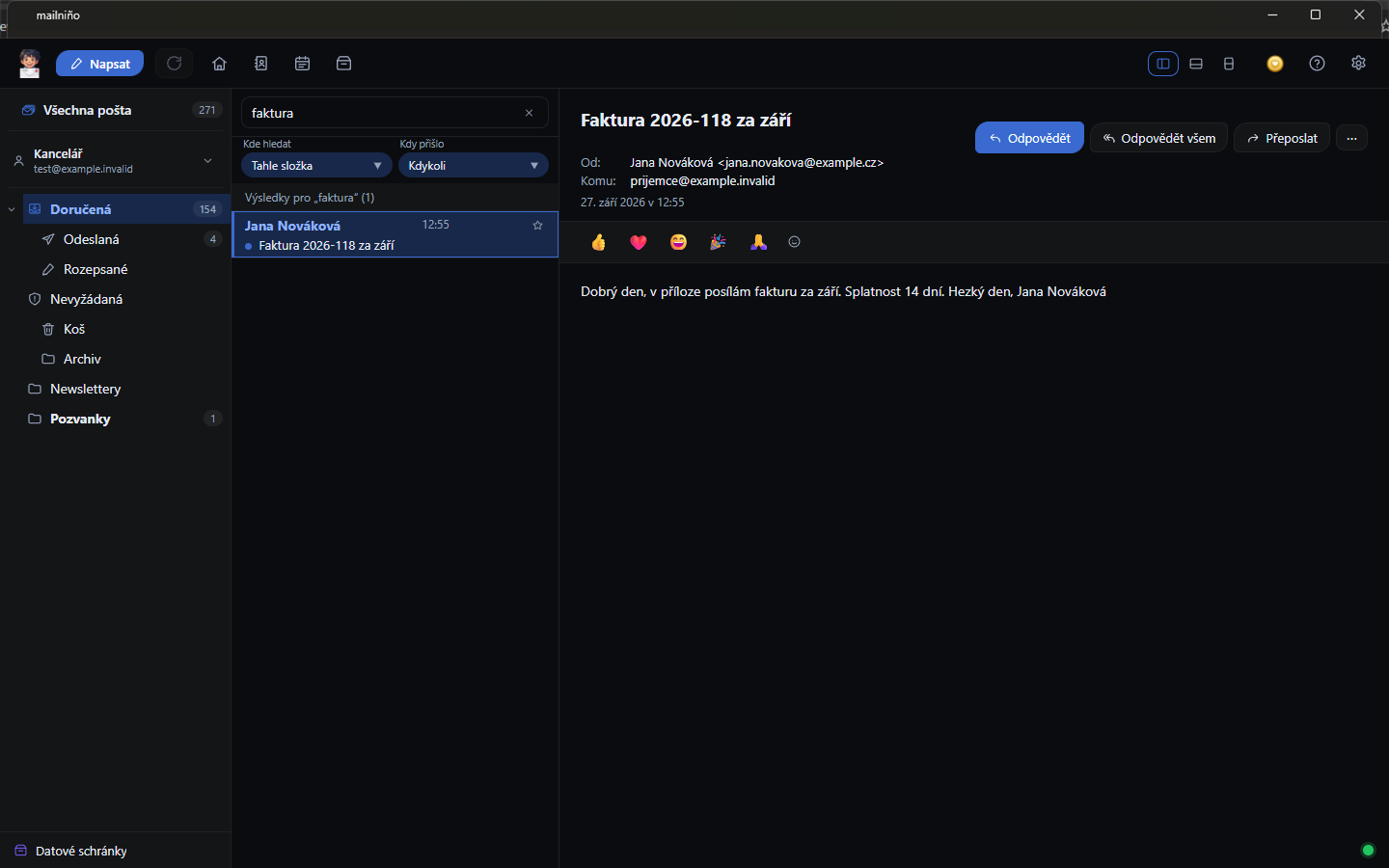
You type and results appear — it searches the sender, the subject and the message text, accents or no accents. It works offline too, because it searches on your machine.
All your mail together
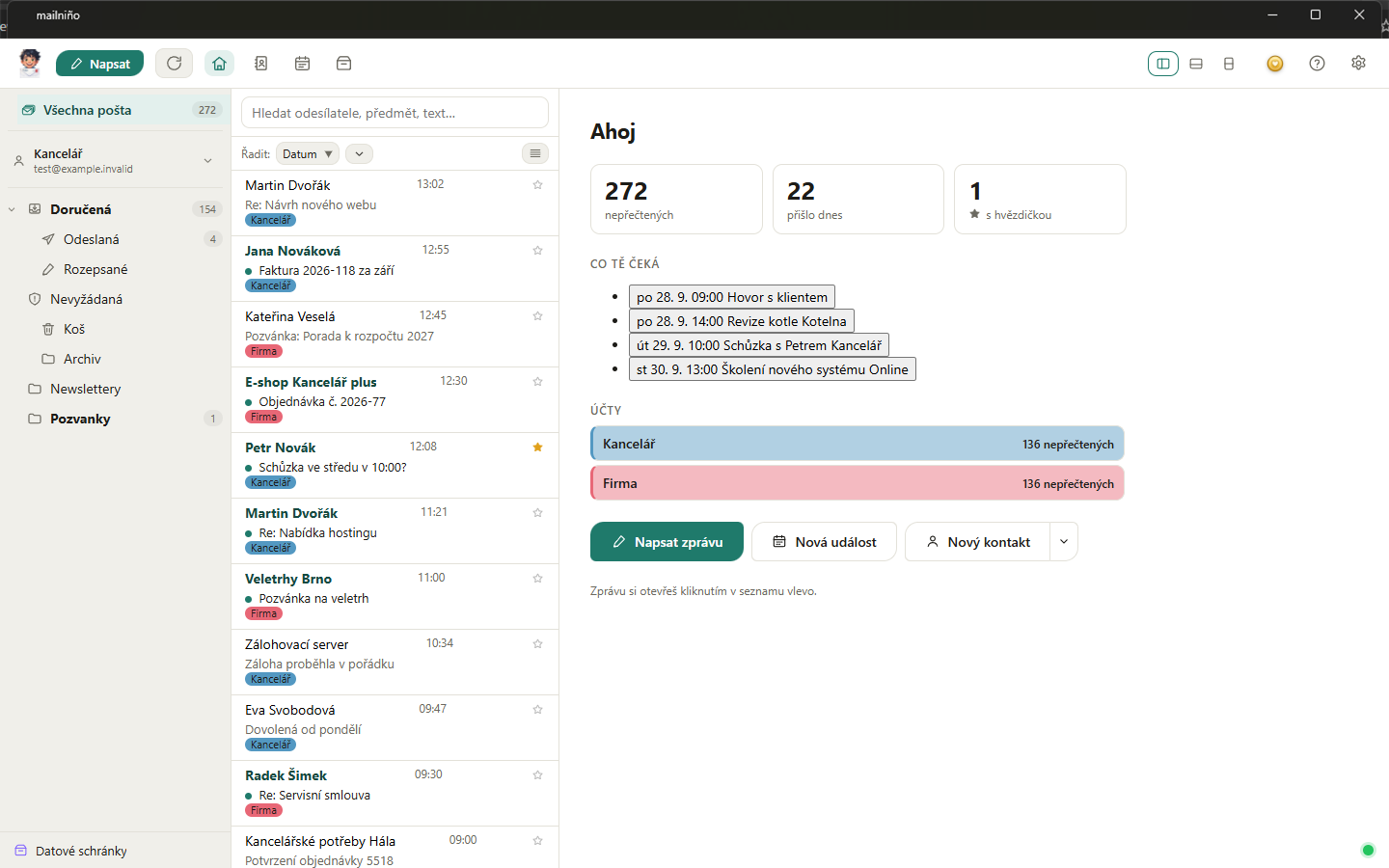
Three mailboxes? The unified inbox shows them in one list, each message says which mailbox it came from, and search runs across all of them.
Snooze and send later
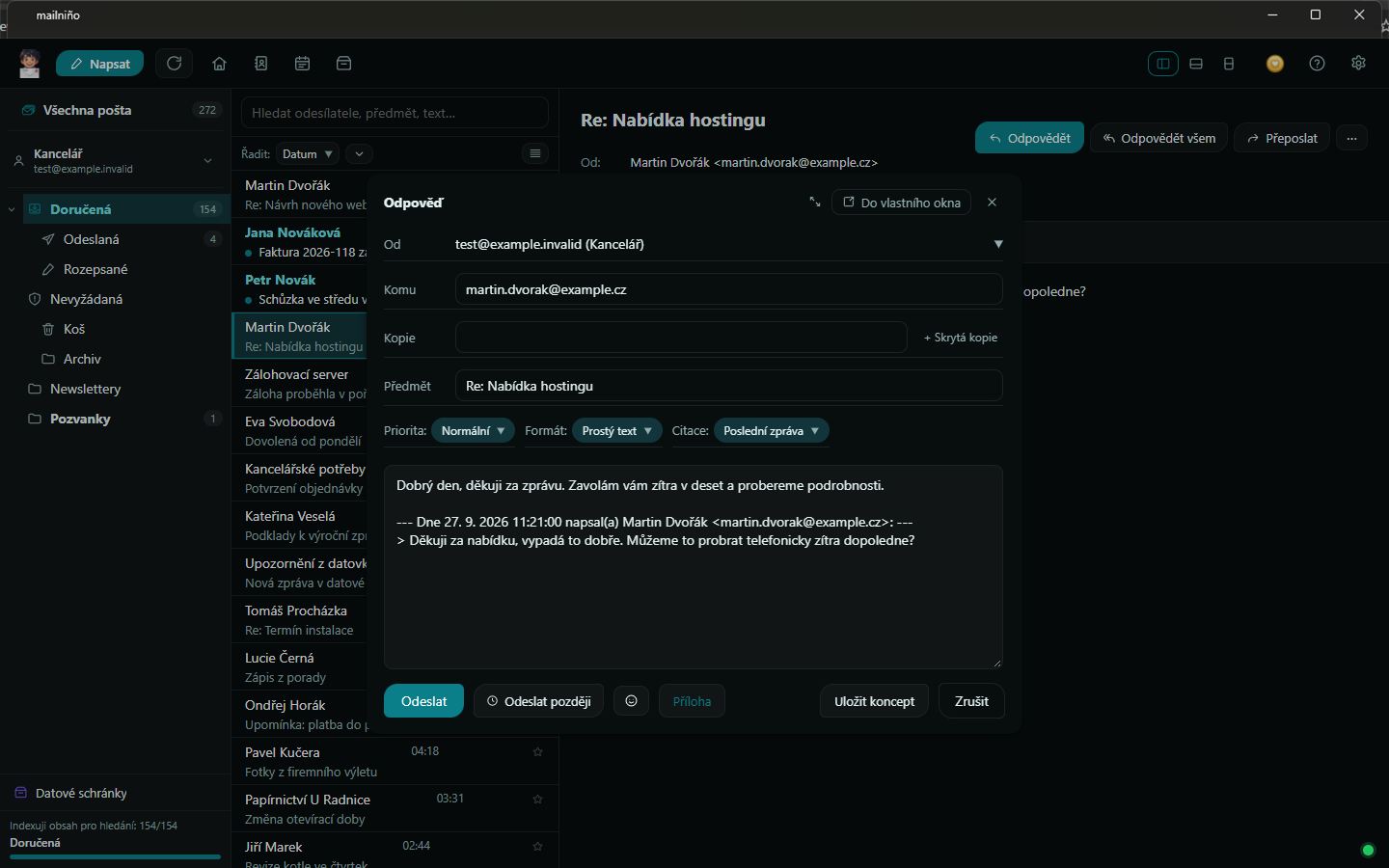
Have a message come back tomorrow morning, schedule a reply for Monday. Scheduled mail goes out even with mailniño closed.
Digital signing (S/MIME)
Sign outgoing mail with a certificate from a file or from the Windows store, qualified smart cards included. It also spots signed messages that arrive.
Calendar and invitations
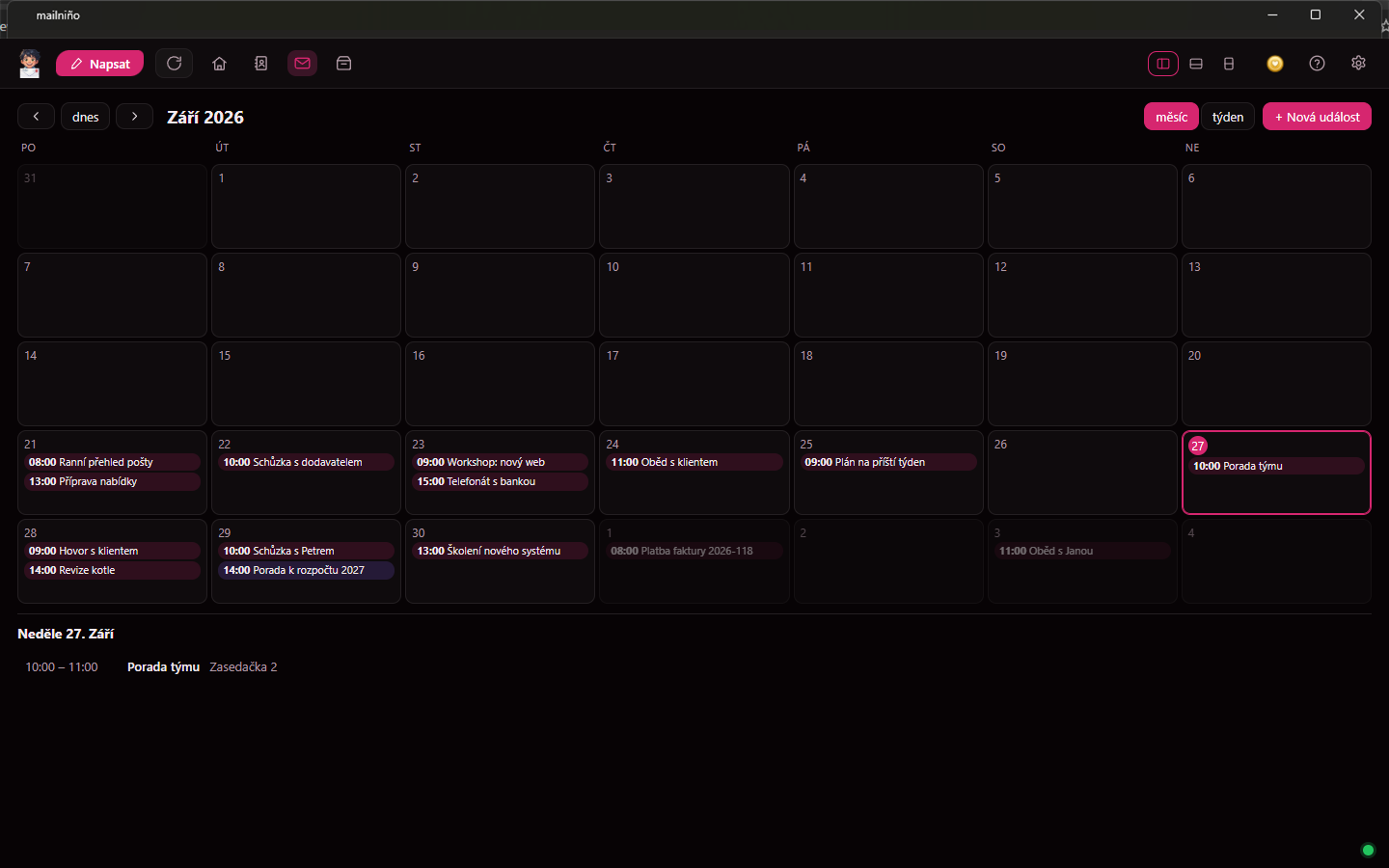
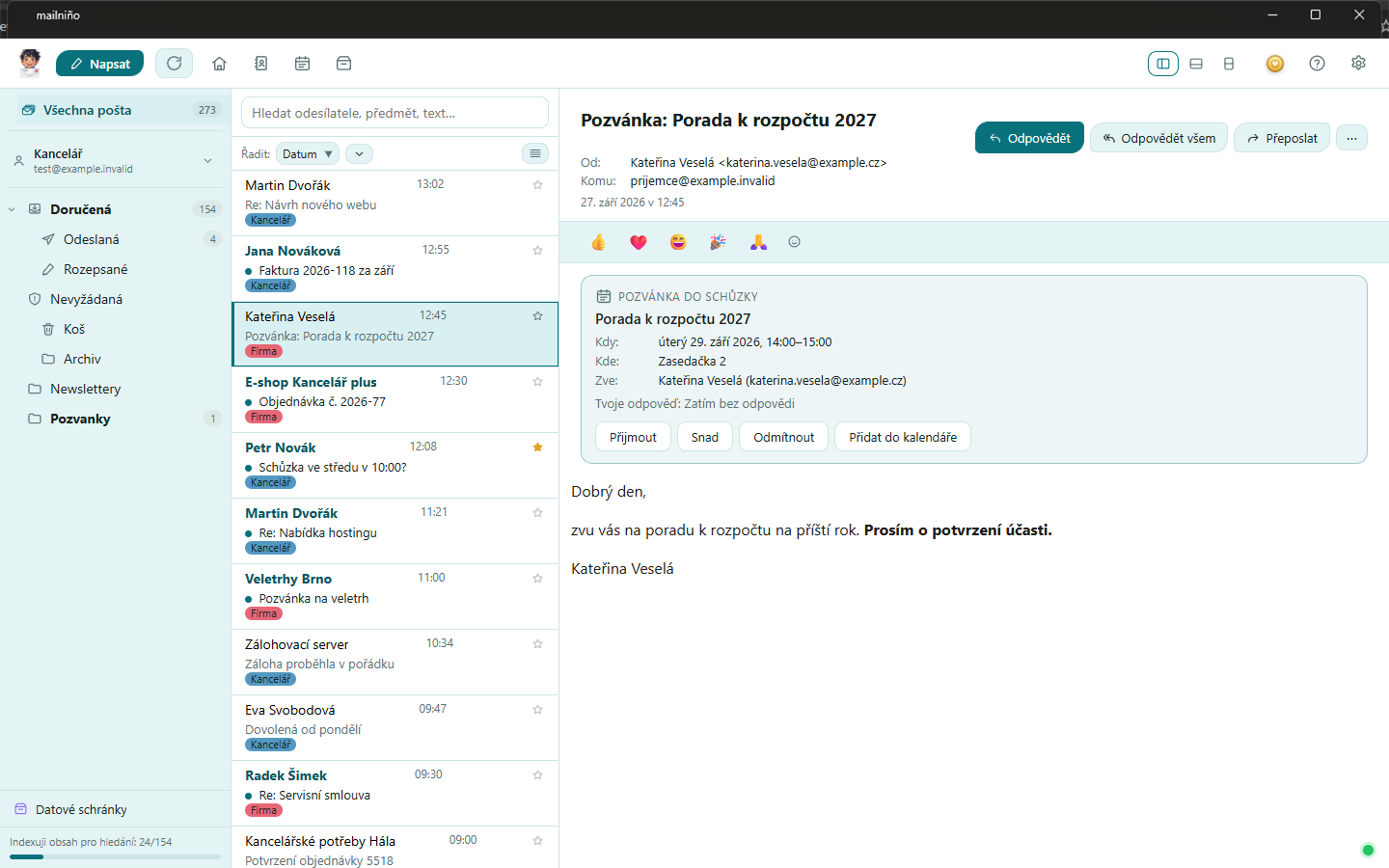
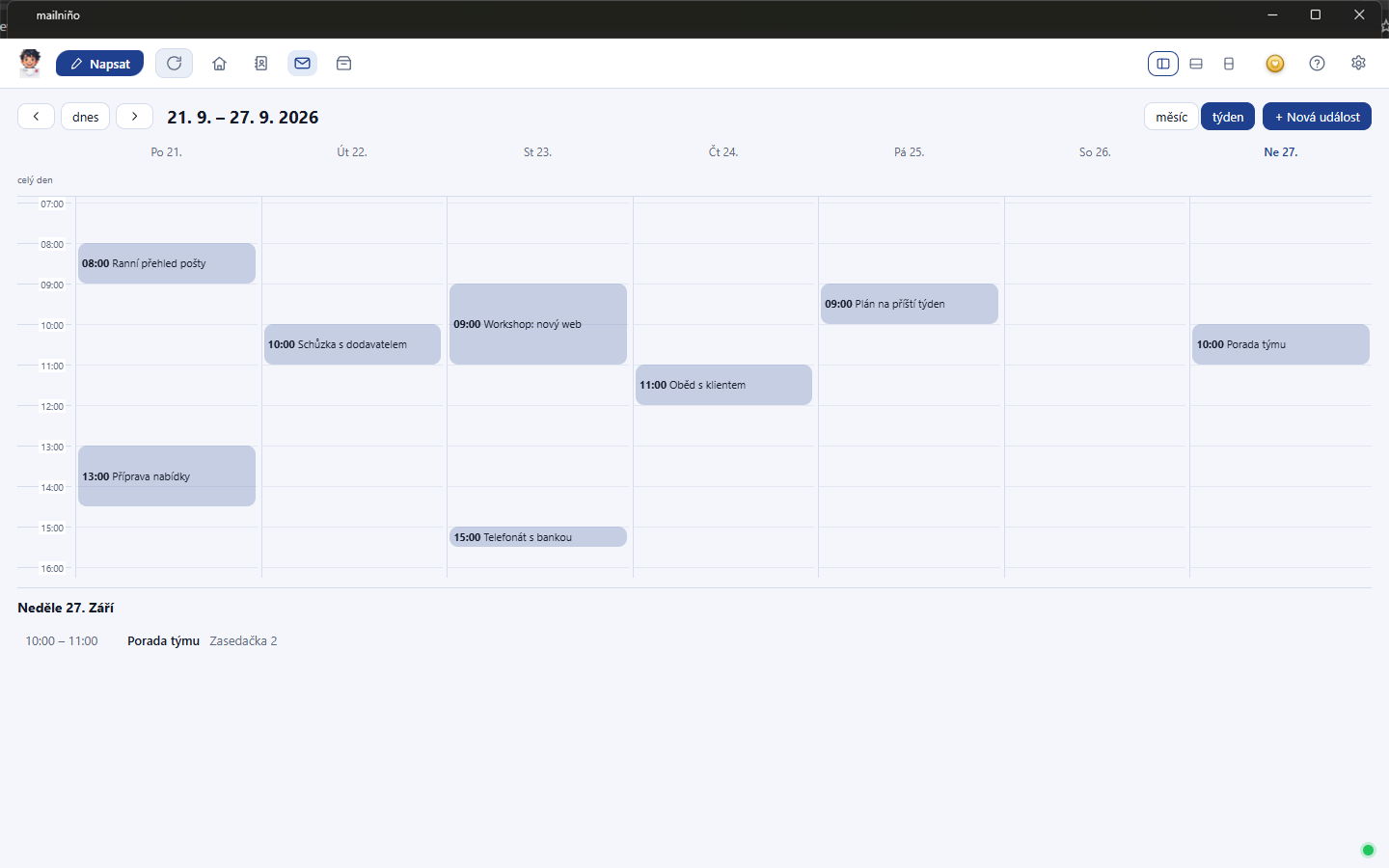
Accept an invitation from a message with one click and the meeting lands in your calendar. Repeating events and reminders included.
Labels other programs can see
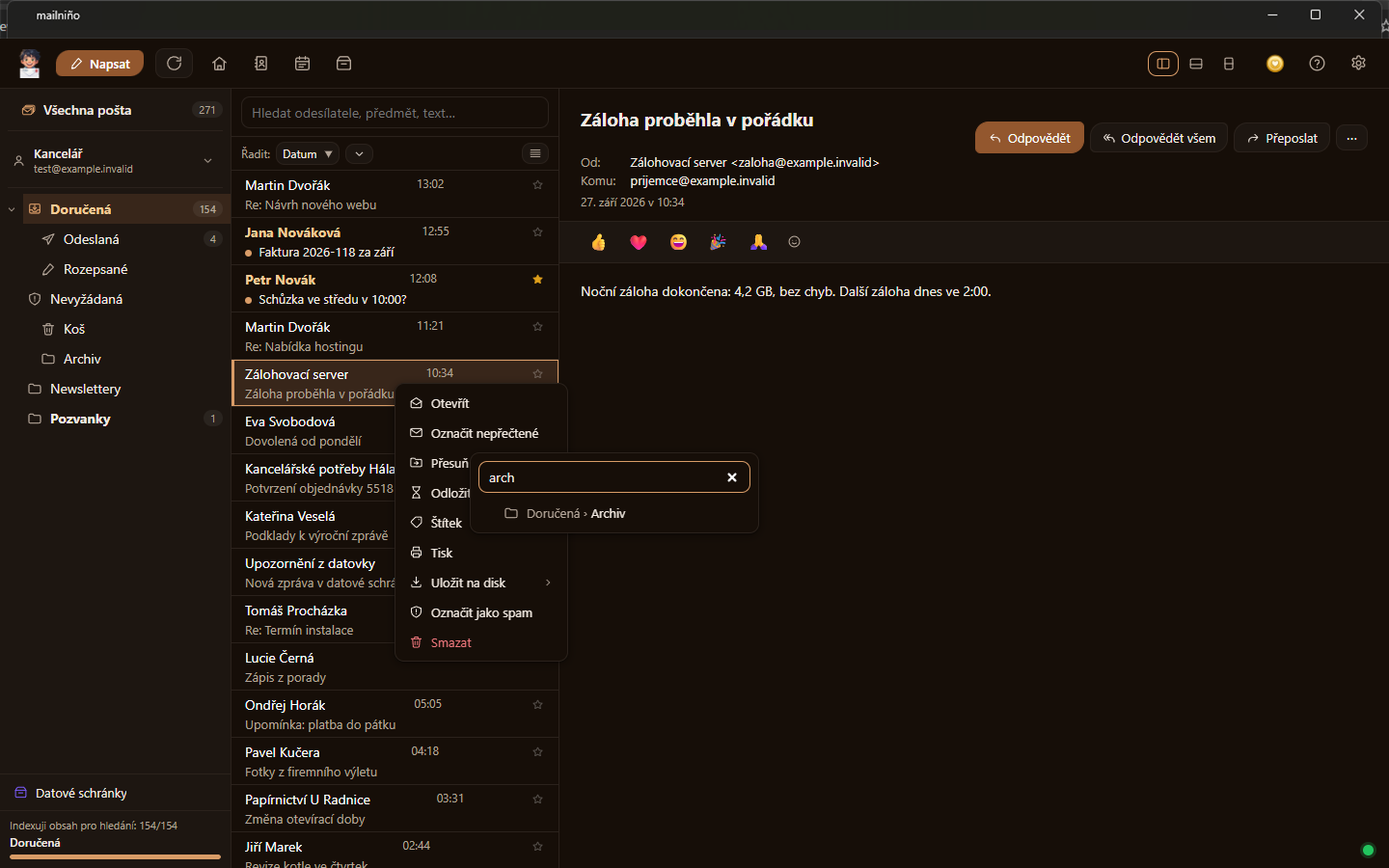
A label is stored in the message itself on the server, so your webmail and Thunderbird show it too. And the ones already in your mailbox can be adopted.
React with a single emoji
When “got it” is all you need, click an emoji under the message. It follows the standard, so people on Gmail or an iPhone see the mark too.
Link preview in a message
Paste a link into a message and mailniño offers to turn it into a card with a picture, a title and a description. Offers — it never calls out on its own.
A foreign language, translated at your place
A message in another language? mailniño offers to translate it and does so on your computer — the text never leaves. The built-in translator is enough to tell you what the message is about; for something better you can plug in your own model.
An address book that fills itself
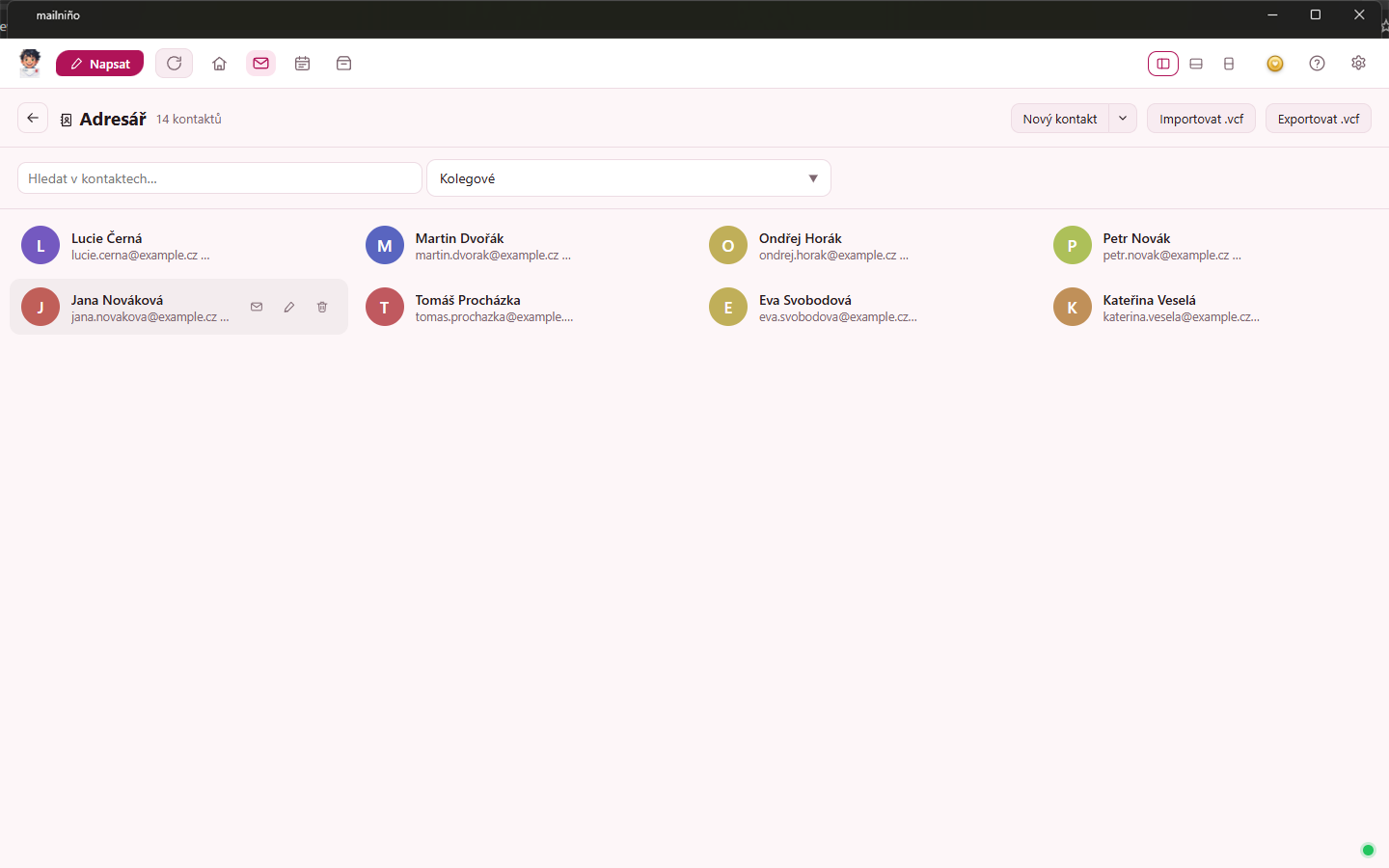
You don't have to create contacts. mailniño remembers the addresses that pass through your hands — senders of messages you open, recipients of mail you send — and suggests them as you write. They stay on your computer; vCard moves them in and out.
Rules that offer themselves
Mail from someone can drop straight into a folder. And when it notices you keep moving the same thing, it speaks up: “shall I do that for you?”
A nuisance sender gone for good
Block an address, or a whole domain. Whatever comes from them goes aside — retrospectively too, out of the inbox of every account.
Saving and backup
Save a message as .eml or PDF. Back up a whole mailbox into an
archive — either a tree of files, or .mbox for Thunderbird.
Move to another computer
Accounts, rules, labels and the way it looks travel with you in one small file — passwords too, if you give the file a password. Mail stays behind; that is what backup is for.
In your language
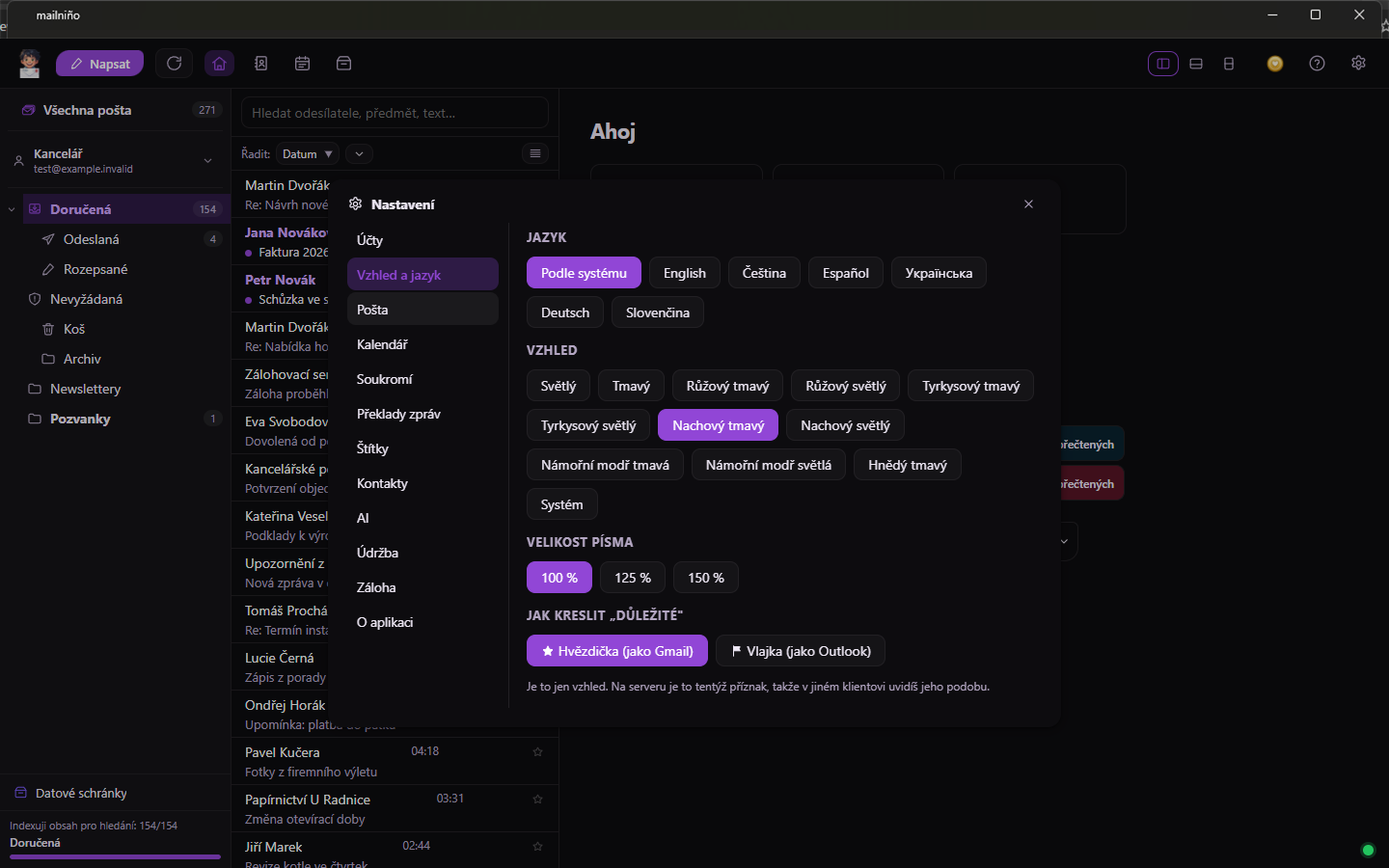
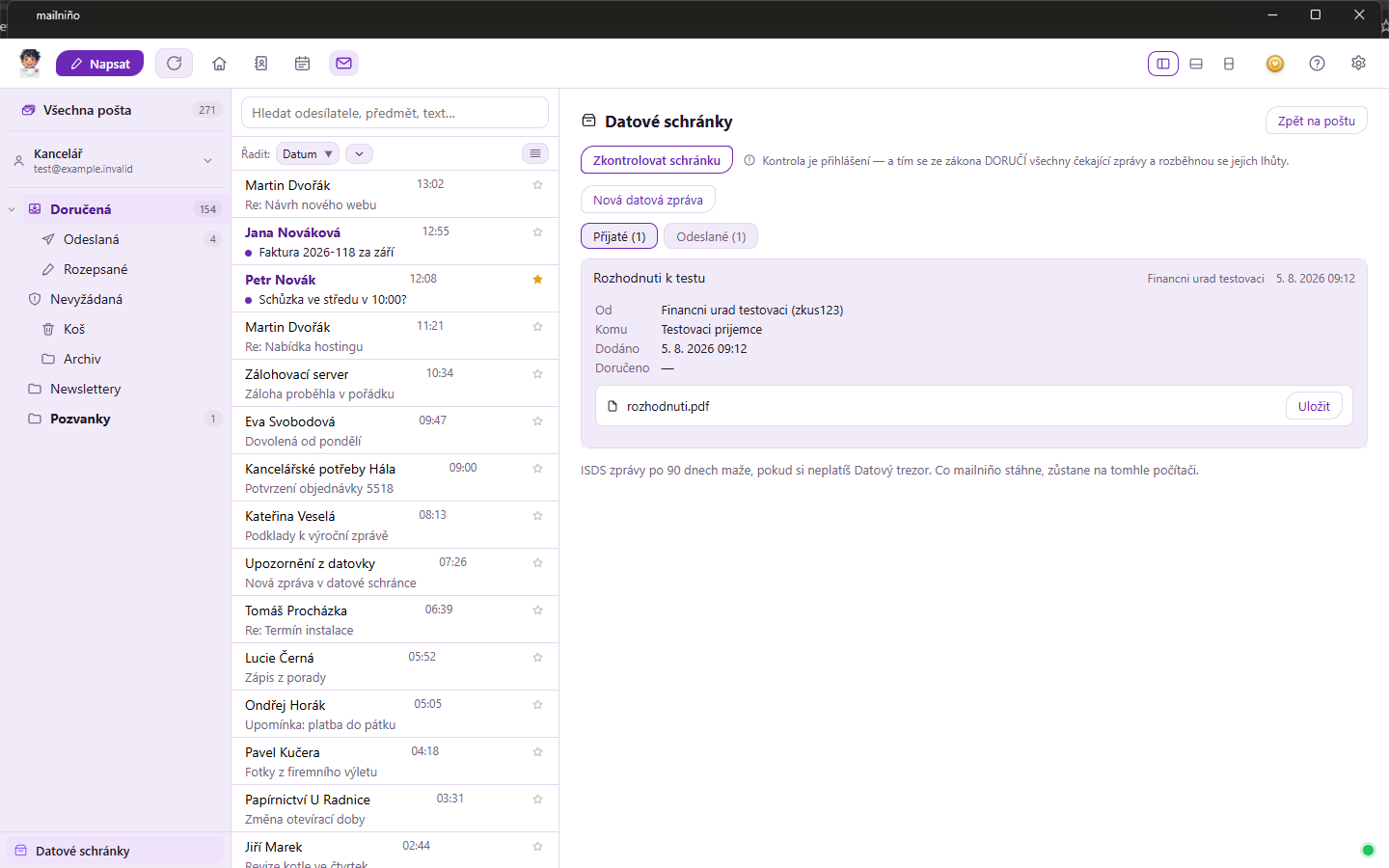
The whole app speaks English, Czech, Spanish and Ukrainian — switched in Settings, with nothing to reinstall. Czech data boxes (ISDS) offer themselves in Czech and Ukrainian; in the other languages there is a switch for whoever needs them.
Your mail stays yours
mailniño has no server. It has no accounts. It would have nowhere to send your mail even if it wanted to.
Everything sits in one folder
Messages, the search index, the calendar and the settings are all on your disk. Backing up mailniño means backing up one folder.
Passwords in the system keychain
They are written into no file — on Windows they sit in Credential Manager, on Linux in GNOME Keyring or KWallet. Only the signed-in user can get to them.
Tracking pixels straight out
Images from the internet don't load by themselves, so the sender cannot find out whether and when you read the message. For senders you trust, you can allow them for good.
The AI you pick yourself
Your mail stays on your computer — mailniño sends it to no cloud service and to no artificial intelligence. It carries no chatbot of its own. What it can do is offer its functions to an AI you run yourself — Claude Desktop, for instance — over the standard MCP interface.
An AI gets nothing from you that you don't allow. When a program first calls, mailniño asks and shows a verification code; only then does it get access, and that access can be revoked at any time. Sending mail it cannot do at all — the most it manages is to prepare a draft that you send.
So you can say “find what Karel wrote me about that contract and draft a reply” — and mailniño stays small and quick. The steps are in the help.
Translation works the same way: the built-in translator is always there, but for something better you plug in your own model on your computer. That one does not connect by itself either — you switch it on.
What it looks like
Other things we make
None of this is third-party advertising — they are our own projects, built on the same idea as mailniño: it does what it says and nothing behind your back.
Viktor the Cleaner
A Windows cleaner that shows you what it wants to delete before it does it. No ads, no scare tactics, free.

Gulpka
A water tracker for your phone that hands out titles and medals. It reminds you, counts for you and sends nothing anywhere. Free on Google Play.
MeteoTrace
The weather at every point of your route, at the time you’ll actually get there. Plus a weather station for your own place, rain radar and Czech weather warnings (ČHMÚ).
ITRADY.CZ
Our IT shop: hosting, mailboxes and mail administration for companies. It is where mailniño comes from — we write it for mailboxes we run ourselves.